Programmable Timers
Programmable timers provide a convenient way for reactors to schedule future behavior. While ports let you send messages to other reactors, programmable timers can be thought of as a way for a reactor to send a delayed message to its future self.
The following example replicates the behavior of the periodic timer using a programmable timer.
#include <chrono>
#include <iostream>

#include "xronos/sdk.hh"

namespace sdk = xronos::sdk;

using namespace std::literals::chrono_literals;

class Clock : public sdk::Reactor {
public:
  Clock(std::string_view name, sdk::Context ctx, sdk::Duration period)
      : sdk::Reactor(name, ctx), period_{period} {}

protected:
  sdk::Duration period_;
  sdk::ProgrammableTimer<void> tick_{"tick", context()};

  class NextReaction : public sdk::Reaction<Clock> {
    using sdk::Reaction<Clock>::Reaction;
    Trigger<void> startup_trigger{self().startup(), context()};
    Trigger<void> tick_trigger{self().tick_, context()};
    ProgrammableTimerEffect<void> tick_effect{self().tick_, context()};
    void handler() final { tick_effect.schedule(self().period_); }
  };

  class TickReaction : public sdk::Reaction<Clock> {
    using sdk::Reaction<Clock>::Reaction;
    Trigger<void> tick_trigger{self().tick_, context()};
    void handler() final {
      auto ms = std::chrono::duration_cast<std::chrono::milliseconds>(elapsed_time());
      std::cout << "Tick at " << ms << '\n';
    }
  };

  void assemble() override {
    add_reaction<NextReaction>("next");
    add_reaction<TickReaction>("on_tick");
  }
};

auto main() -> int {
  sdk::Environment env{};
  Clock clock{"clock", env.context(), 1s};
  env.execute();
  return 0;
}
In the same directory, create a CMakeLists.txt:
cmake_minimum_required(VERSION 3.28)

project(programmable_timers LANGUAGES CXX)

set(XRONOS_SDK_VERSION "0.14.0" CACHE STRING "Xronos SDK version")
include(FetchContent)
FetchContent_Declare(
  "xronos-sdk"
  URL https://github.com/xronos-inc/xronos/releases/download/v${XRONOS_SDK_VERSION}/xronos-sdk-${XRONOS_SDK_VERSION}-Linux-${CMAKE_SYSTEM_PROCESSOR}.tar.gz
)
FetchContent_MakeAvailable(xronos-sdk)
set(xronos-sdk_DIR ${xronos-sdk_SOURCE_DIR}/share/cmake/xronos-sdk)

find_package(xronos-sdk)

add_executable(clock clock.cc)
target_link_libraries(clock xronos::xronos-sdk)
Configure, build, and run:
$ cmake -B build
$ cmake --build build --target clock
$ ./build/clock
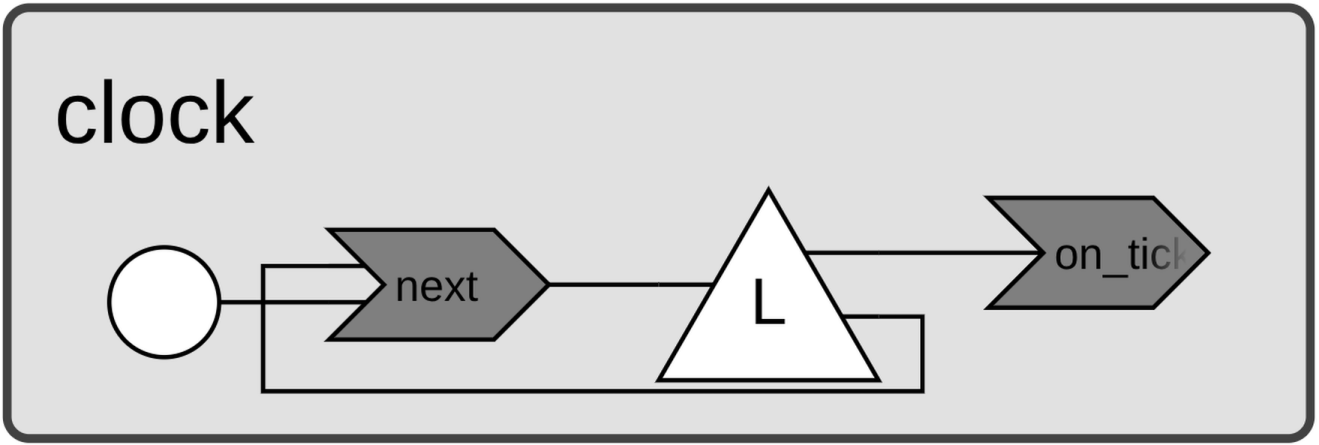
The Clock reactor declares a ProgrammableTimer
called tick_ and defines two reactions. The TickReaction is triggered by
tick_ and prints the elapsed time. The NextReaction is triggered by both
startup() and tick_, and holds a
ProgrammableTimerEffect<void> that it uses to schedule the next event. Its
handler simply calls schedule() to queue an event after period_.
Both tick_ and period_ are protected so that subclasses can access them,
and assemble() uses override (not final) to allow subclasses to install
different reactions.
The NextReaction is what keeps tick_ firing at regular intervals. Its first
invocation comes from startup(),
which schedules the initial tick_ event. From then on, each invocation is
triggered by tick_ itself, scheduling the next one in turn.
When executed, the program produces the following output.
$ ./build/clock
Tick at 1000ms
Tick at 2000ms
Tick at 3000ms
Tick at 4000ms
Tick at 5000ms
...
While programmable timers can replicate periodic timer behavior, they’re far more versatile. Because new events are scheduled from within reaction handlers, you have full control over when events occur. This opens the door to more interesting patterns. For instance, the following example implements a clock that slows down with each tick.
class SlowingClock : public Clock {
public:
  SlowingClock(std::string_view name, sdk::Context ctx,
               sdk::Duration period, sdk::Duration increment)
      : Clock(name, ctx, period), increment_{increment} {}

private:
  sdk::Duration increment_;

  class SlowingNextReaction : public sdk::Reaction<SlowingClock> {
    using sdk::Reaction<SlowingClock>::Reaction;
    Trigger<void> startup_trigger{self().startup(), context()};
    Trigger<void> tick_trigger{self().tick_, context()};
    ProgrammableTimerEffect<void> tick_effect{self().tick_, context()};
    void handler() final {
      tick_effect.schedule(self().period_);
      self().period_ += self().increment_;
    }
  };

  void assemble() override {
    add_reaction<SlowingNextReaction>("next");
    add_reaction<TickReaction>("on_tick");
  }
};

auto main() -> int {
  sdk::Environment env{};
  SlowingClock clock{"slowing_clock", env.context(), 1s, 200ms};
  env.execute();
  return 0;
}
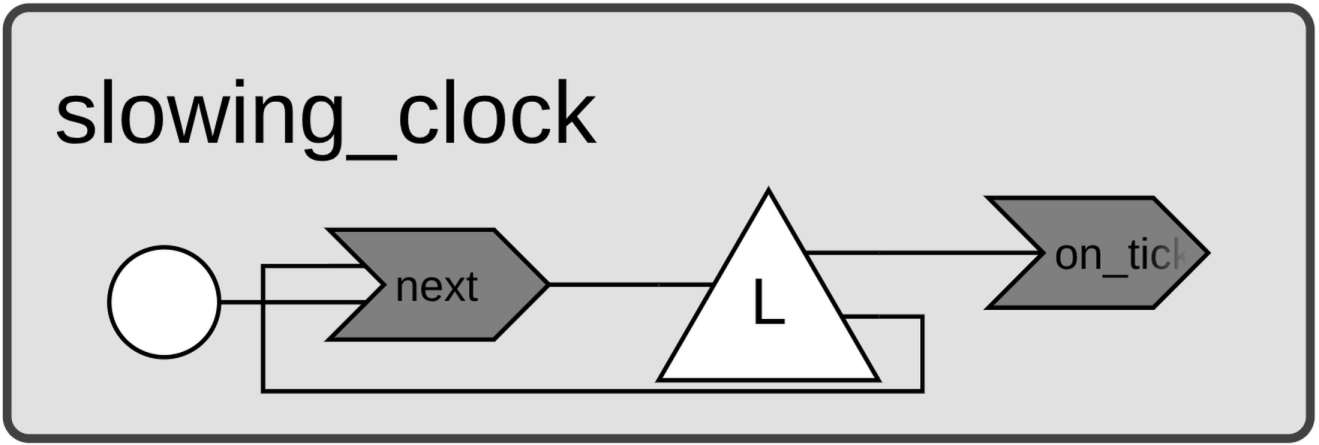
SlowingClock inherits from Clock and defines its own SlowingNextReaction.
That reaction schedules the next tick using the current period_, then
increments period_ by increment_ so each subsequent interval is a little
longer. The overridden assemble() installs SlowingNextReaction in place of
Clock’s NextReaction, while still reusing the inherited TickReaction for
the printing logic.
With this modification, the program produces the following output.
$ ./build/clock
Tick at 1000ms
Tick at 2200ms
Tick at 3600ms
Tick at 5200ms
Tick at 7000ms
...