Programmable Timers
Programmable timers provide a convenient way for reactors to schedule future behavior. While ports let you send messages to other reactors, programmable timers can be thought of as a way for a reactor to send a delayed message to its future self.
The following example replicates the behavior of a periodic timer using a programmable timer.
import datetime

import xronos


class Clock(xronos.Reactor):
    _tick = xronos.ProgrammableTimerDeclaration()

    def __init__(self, period: datetime.timedelta):
        super().__init__()
        self._period = period

    @xronos.reaction
    def next(self, ctx):
        ctx.add_trigger(self.startup)
        ctx.add_trigger(self._tick)
        tick_effect = ctx.add_effect(self._tick)

        return lambda: tick_effect.schedule(value=None, delay=self._period)

    @xronos.reaction
    def on_tick(self, ctx):
        ctx.add_trigger(self._tick)

        return lambda: print(f"Tick at {ctx.elapsed_time}")


def main():
    env = xronos.Environment()
    env.create_reactor("clock", Clock, period=datetime.timedelta(seconds=1))
    env.execute()


if __name__ == "__main__":
    main()
import datetime
from collections.abc import Callable

import xronos


class Clock(xronos.Reactor):
    _tick = xronos.ProgrammableTimerDeclaration[None]()

    def __init__(self, period: datetime.timedelta) -> None:
        super().__init__()
        self._period = period

    @xronos.reaction
    def next(self, ctx: xronos.ReactionContext) -> Callable[[], None]:
        ctx.add_trigger(self.startup)
        ctx.add_trigger(self._tick)
        tick_effect = ctx.add_effect(self._tick)

        return lambda: tick_effect.schedule(value=None, delay=self._period)

    @xronos.reaction
    def on_tick(self, ctx: xronos.ReactionContext) -> Callable[[], None]:
        ctx.add_trigger(self._tick)

        return lambda: print(f"Tick at {ctx.elapsed_time}")


def main() -> None:
    env = xronos.Environment()
    env.create_reactor("clock", Clock, period=datetime.timedelta(seconds=1))
    env.execute()


if __name__ == "__main__":
    main()
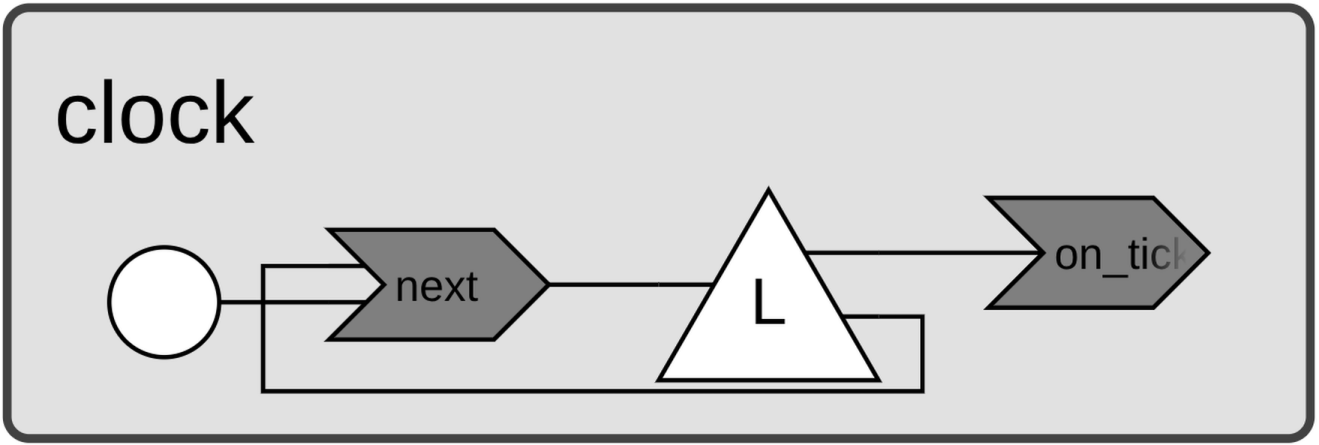
The Clock reactor declares a programmable timer called _tick using a
ProgrammableTimerDeclaration. It defines two reactions. The
on_tick reaction is triggered by _tick and prints a message including the
current time. The next reaction is triggered both by
startup and by _tick, and also declares an effect on
_tick. Through the ProgrammableTimerEffect object, the
reaction calls schedule() to queue a
future event using self._period as the delay.
The next reaction is what keeps _tick firing at regular intervals. Its first
invocation is triggered by startup, which schedules the
first _tick event. From then on, each invocation of next is triggered by
_tick itself, scheduling the next one in turn.
When executed, the program produces the following output.
$ python clock.py
Tick at 0:00:01
Tick at 0:00:02
Tick at 0:00:03
Tick at 0:00:04
Tick at 0:00:05
...
While programmable timers can replicate periodic timer behavior, they’re far more versatile. Because new events are scheduled from within reaction handlers, you have full control over when events occur. This opens the door to more interesting patterns. For instance, the following example implements a clock that slows down with each tick.
class SlowingClock(Clock):
    def __init__(self, period, increment):
        super().__init__(period)
        self._increment = increment

    @xronos.reaction
    def next(self, ctx):
        ctx.add_trigger(self.startup)
        ctx.add_trigger(self._tick)
        tick_effect = ctx.add_effect(self._tick)

        def handler():
            tick_effect.schedule(value=None, delay=self._period)
            self._period += self._increment

        return handler


def main():
    env = xronos.Environment()
    env.create_reactor(
        "slowing_clock",
        SlowingClock,
        period=datetime.timedelta(seconds=1),
        increment=datetime.timedelta(milliseconds=200),
    )
    env.execute()


if __name__ == "__main__":
    main()
class SlowingClock(Clock):
    def __init__(
        self, period: datetime.timedelta, increment: datetime.timedelta
    ) -> None:
        super().__init__(period)
        self._increment = increment

    @xronos.reaction
    def next(self, ctx: xronos.ReactionContext) -> Callable[[], None]:
        ctx.add_trigger(self.startup)
        ctx.add_trigger(self._tick)
        tick_effect = ctx.add_effect(self._tick)

        def handler() -> None:
            tick_effect.schedule(value=None, delay=self._period)
            self._period += self._increment

        return handler


def main() -> None:
    env = xronos.Environment()
    env.create_reactor(
        "clock",
        SlowingClock,
        period=datetime.timedelta(seconds=1),
        increment=datetime.timedelta(milliseconds=200),
    )
    env.execute()


if __name__ == "__main__":
    main()
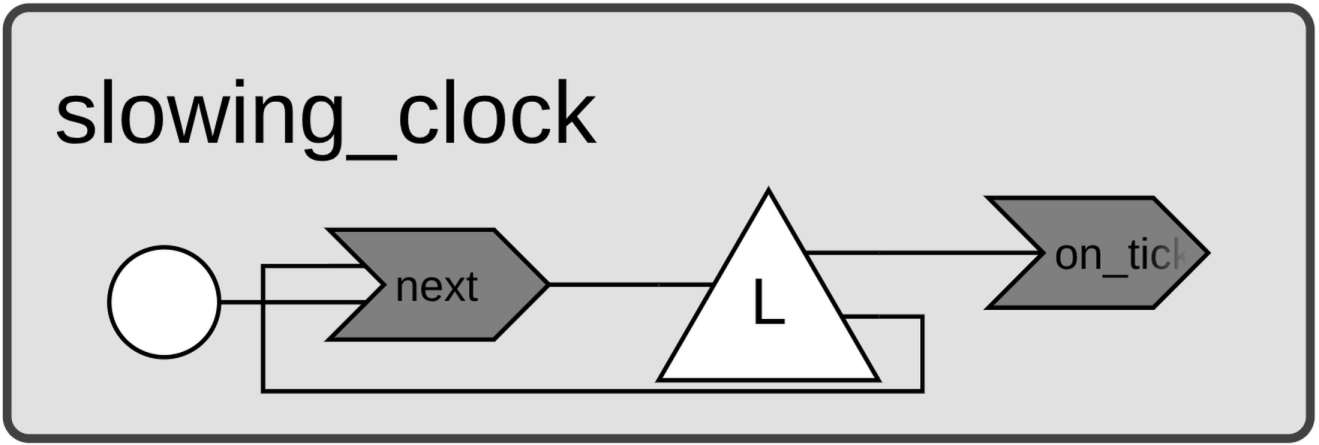
Note that the above example uses inheritance and overrides the next reaction of Clock to change the clock’s behavior.
The overridden next reaction schedules the next tick using the current _period, then
increments _period by _increment so each subsequent interval is a little
longer. With this modification, the program produces the following output.
$ python clock.py
Tick at 0:00:01
Tick at 0:00:02.200000
Tick at 0:00:03.600000
Tick at 0:00:05.200000
Tick at 0:00:07
...